 Order Now

Contents
phpBB administration
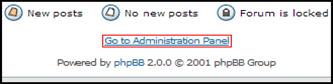
The phpBB 2.0 application settings are configurable, the configurations are done in the administration panel. In order to access administration panel, log in with an Administrator username and click the link that says Go to Administration Panel placed at the bottom of any forum's page.
You may also go to the page admin/index.php within the phpBB 2.0 root directory. The password request will be asked twice in order to access the administration panel if you have not already visited it during your current visit to your board.
Forum Admin & Management
The Forum Management panel is where control of the organization of forums, categories configuration, forum's name, description, and auto-prune settings is are handled.
Adding Forums
In order to create a new forum enter the desired forum name in the text box at the bottom of the category you want your new forum to be in and click Create New Forum.
The General Forum Settings panel will be shown after the creation.
Editing Forums
For editing a forum click Edit in that forum's row. The General Forum Settings panel will appear.
Adjusting of the following settings are available : Forum Name - This is the name of the forum. (e.g. General Chat, Movie Reviews, Support, etc.)
Description - Describes forum. This is the smaller text that appears under each forum name on the Forum Index.
Category - A dropdown list box for allowing to choose what category a forum is contained in.
Forum Status - A dropdown list box for lock or unlock a forum. A locked forum may not be posted to except by moderators and administrators.


