 Order Now

Contents
Wordpress NEW themes
Using Themes
WordPress comes with two themes within initial distribution. Themes can be switched by using the admin panel. Themes that added to that directory will appear in the Administration Panel > Presentation as additional selections.
Adding New Themes
There are many themes available for download that will work with your WordPress installation.
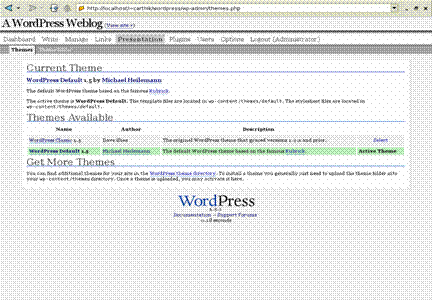
Presentation Theme Panel
Almost all of the themes provides instructions regarding their installations which are to be followed in order to have the successful installation of the theme.
WordPress themes installation
Download the theme archive and extract the files it contains.
Access your host web server through the ftp services, create a directory to contain new theme in the wp-content/themes directory provided by WordPress.
Upload the theme files to the new directory on host server.
Selecting the Active Theme
Log in to the WordPress Administration Panel
Select the Presentation subpanel.
From the Select column in the table, click on Select for the theme you wish to activate.
To view the new look, click View Site at the top of the Panel's screen.


